
Scroll to top will be a good feature for your blog if you are having a big page! As if someone has scrolled down to bottom then he/she really has to scroll much to make his/her way to the top! So why dont we give them an Automated option for this. As you can see here in hacker's alley I have added a automated scroll to top button at the very end of the page.
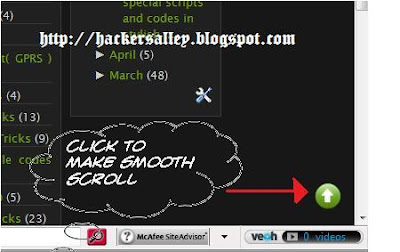
Follow these steps. &. Lets get started :
controlHTML:''http://i670.photobucket.com/albums/vv63/mzayed12/up.png"
Replace the red colored link with your image's link which you have uploaded. Then save the .JS file

Thanx to Greetechspot

Follow these steps. &. Lets get started :
- Download this zipped file here (Only 45 kb
- Now unzip or Extract the file. Now you can upload a arrow which you like. You can upload a image in photobucket(Default image is in the above image)
- (This step is Not compulsory if you like the default image) Open the scrolltopcontrol.js with notepad ( I use notepad++. you can download it from here. ) And search for this line
controlHTML:''http://i670.photobucket.com/albums/vv63/mzayed12/up.png"
Replace the red colored link with your image's link which you have uploaded. Then save the .JS file
- Now in this step you will need a free webhosting serive provider. I will recommend www.hotlinkfiles.com. Go there and setup a free account.
- Now upload the two files viz. scrolltopcontrol.js and jquery.min.js. Open these locations on your browser to confirm and note down the address.
- Now final step:: Goto Blogger Dashboard ►Layout ►Edit HTML and search for </head> Just BEFORE it paste this codeObviously you need to change the coloured portion according to your account!
<script src='Your jquery.min.js file link' type='text/javascript'/>
<script src=' Your scrolltopcontrol.js file link' type='text/javascript'>
/***********************************************
* Scroll To Top Control script- © Dynamic Drive DHTML code library (www.dynamicdrive.com)
* This notice MUST stay intact for legal use
***********************************************/
</script> - Click on preview and see if the scroll button is coming or not! If not then revise the procedure and if it is coming then save your template anddddd you have a good smooth scroll to top button at your blogger
Thanx to Greetechspot


 "
"


